


Asbury Park Press: Local News
3.2124.00 Reviews
App Specs
- Version
- 8.10.3
- Updated On
- License
- Free
- Downloads
- 50,000+
- Developer
- USA TODAY Co.
- Categories
- News & Magazines
- Platform
- Android
Screenshots






 Analysis by AppCompare
I find the most useful way to approach Asbury Park Press: Local News is as a regional reading habit, not as a replacement for every source of news on your phone. It is an app in the News & Magazines category from USA TODAY Co., built around coverage of New Jersey, with particular appeal if the Jersey Shore is part of your daily life. I would use it to follow nearby developments and then turn to broader outlets when I want a national story examined from several angles.
Where the reading experience can snag
A local news app is most valuable when it answers a specific question: what is happening near home, what changed today, or which local team is playing? That focus also sets a limit. If you open it expecting the breadth of a national news aggregator, the regional emphasis may feel narrow. I’d keep it alongside, rather than instead of, a general-purpose news source if my reading routinely spans many states or countries.
There can also be a difference between being able to open an app and being able to read every piece of content you want. The app is free to install, but it offers in-app purchases priced from $19.99 to $69.99 per item, so I would check the terms shown in the app before committing to any purchase. If a particular article prompts a subscription or payment choice, pause and decide whether regular access to that reporting fits your reading habits. The free download alone should not be taken as a promise that every piece of content is included.
My practical test is simple: browse the available sections first, note which stories you return to, and only then consider paying for more access. A commuter who checks local headlines now and then may have different needs from someone who follows town decisions, school coverage, and local sports every day. Knowing which kind of reader you are makes the purchase decision less of a guess.
Setup checks before settling in
The app is free, has an Everyone 10+ content rating, and its current version is 8.7.1. It was released on May 3, 2012, and the listed minimum operating-system requirement is version 8.0. I’d check that a device meets that requirement before troubleshooting an installation problem; an older or unsupported system can make an otherwise ordinary setup feel broken.
After installing, take a moment to decide whether you want to create an account or browse as a guest, as the original setup experience describes both paths. If you mainly want to assess the coverage, guest access is a sensible first step. If you plan to return to saved preferences or use account-based options, creating an account may suit you better. Either way, I would avoid changing several settings at once: make one change, reopen the relevant section, and see whether it solved the problem.
For notifications, start with the alerts you genuinely want rather than turning everything on by default. Breaking news can be useful when it concerns your area, but frequent interruptions can make a news app easy to ignore. If alerts are missing, check the app’s own notification controls as well as the phone’s system-level notification settings. If they are arriving too often, reduce or disable the categories you do not need instead of silencing every alert.
Worth Reading Before You Choose

EA SPORTS FC Mobile 26 Is a Bigger Football Game, but It Takes Time

Flipboard Shows What News Apps Must Do Beyond the Feed

Switching to Android Auto Means Rethinking Your Driving Routine

Google Calendar Makes a Crowded Week Easier to Manage

Ludo King Makes the Most of the Minutes Between Plans

Baby Panda World Brings Quick Play to Modern Phones, but Its Game Library Feels Busy
Getting back to a useful routine
When a page seems stale or a section does not behave as expected, I would first close and reopen the app, then check whether the same issue appears in another section. That helps separate a one-off loading hiccup from a broader problem. If only one story is affected, returning to the section later is a reasonable next step; if the whole app is affected, checking the connection and restarting the device are basic troubleshooting steps worth trying before reinstalling.
For a busy morning, I would use the app in two short passes rather than trying to read everything. First, scan the local headlines for a change that affects the day: a community update, a weather item, or a developing story. Later, return to a longer report when I have time to give it attention. This keeps the app useful without turning a quick check into an endless scroll.
Photos and video can add context, but they also change how I use a news app when I am away from Wi-Fi or trying to conserve mobile data. If a story has rich media, I would save that deeper browsing for a suitable connection and use text headlines for a quick check. This is a practical trade-off rather than a reason to avoid multimedia: images can make a local event easier to understand, while video is less convenient when I only have a minute.
When the app may not be the cause
News changes quickly, and an article that has not visibly changed may simply not have received a new update yet. I would compare its publication details and context with other current coverage before assuming the app has failed to refresh. A location-specific forecast or report can also be less relevant if I am outside the area the outlet covers; in that situation, a local source for my current location is the better tool.
Likewise, notifications depend on both app settings and the phone’s settings, while loading can be affected by a weak connection. If the app opens but media does not, I would try a text-only read or return when the connection is stronger before treating it as a permanent fault. These checks are especially useful when headlines load but photos or video do not.
Asbury Park Press has an average rating of 3.2 from around 350 ratings, with around 122 written reviews, and more than 50,000 installs. I take that as a reason to set realistic expectations rather than as a verdict on whether it will suit me: ratings reflect different devices, habits, and expectations. For a reader who values local reporting, the right test is whether the coverage is useful enough to become part of a regular routine.
Getting Started with the App
First things first, downloading the Asbury Park Press: Local News app is a breeze. It's available for both Android and iOS, and it’s free, which is always a plus in my book. Once you’ve got it on your device, the setup is straightforward. You can quickly create an account or continue as a guest if commitment isn’t your thing.
The homepage is where the magic happens. It’s clean and user-friendly, so even if tech isn’t your strong suit, you’ll feel right at home. The app is divided into neat sections like News, Sports, Entertainment, and more, making it super easy to navigate. I appreciate how it doesn’t bombard you with information overload—just the right amount to keep you informed.
News at Your Fingertips
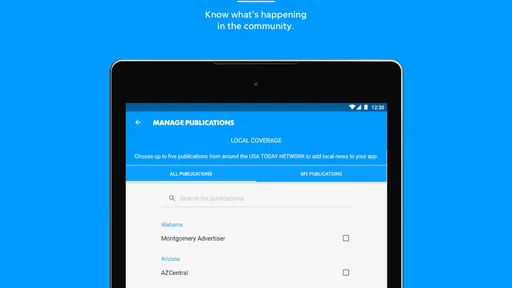
One of my favorite features is the personalized news feed. You can tailor it to show the topics you care about most. So, if you’re all about local politics or just in it for the juicy celeb gossip, you can customize it to your liking. The app does a great job of updating stories in real-time, so you’re never missing out on the latest happenings.
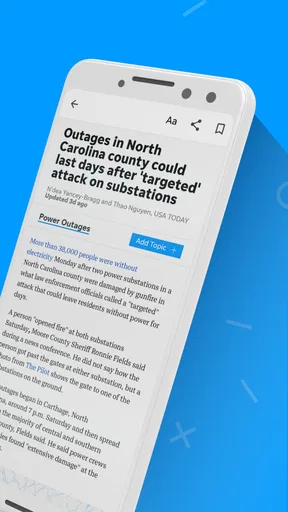
The quality of the articles is top-notch. The writing is crisp, and the reporting is thorough. Plus, the multimedia elements like photos and videos add a nice touch, bringing stories to life. It's like having your own little newsroom in your pocket.
Stay Updated, Stay Alert
Now, let's talk alerts. The app sends push notifications for breaking news, weather updates, and more. I find this particularly handy because I’m not always glued to my phone, but I still want to stay informed. You can adjust the settings to control how often you get these alerts, which is a nice touch if you’re trying to avoid notification overload.
Speaking of weather, the app includes a detailed weather section. It’s pretty accurate from my experience, and it’s perfect for planning your day out or just knowing if you need to grab that umbrella.
Sports and Entertainment Galore
If you’re a sports fan, you’re in luck. The sports section covers everything from local high school games to professional teams. I love the depth of coverage here—it’s not just scores and stats, but in-depth analysis and engaging commentary.
The entertainment section is a fun escape too. Whether you’re into the latest movie reviews or upcoming concerts in the area, the app’s got you covered. It’s like having a little slice of culture at your fingertips.
User Experience and Design
In terms of design, the app is sleek and modern. It’s not cluttered, and the text is easy to read. The developers clearly put effort into making it visually appealing without sacrificing functionality. I also appreciate the dark mode option for those late-night scroll sessions.
The app occasionally has ads, which can be a bit annoying, but hey, it’s a free app. Plus, you can opt for a subscription if you want an ad-free experience and access to premium content.
Who will get the most from it
I would recommend it most to people who live in or feel connected to the Jersey Shore and want local reporting close at hand. Parents following school or community news, residents keeping an eye on local decisions, and fans of nearby sports have a clearer reason to open it regularly than someone who only wants a quick national headline roundup. Its mix of local coverage and broader sections gives a regional reader more to browse than a single-topic bulletin.
A realistic routine might be checking the headlines while having breakfast, then opening a full report later when a local issue affects a commute, school event, or weekend plan. I would not rely on a headline alone to make a decision: read the article for context, especially when a story is developing. That habit is useful with any news source, but it matters particularly when a brief alert is all you first see.
Compared with a broad news aggregator, this app’s main advantage is its local identity; a large national feed may offer more variety, but can leave neighborhood coverage buried. Compared with a town-specific social-media group, a newsroom app is a more direct place to look for reported articles, while community posts can be faster but uneven in context and verification. I would use each for a different purpose rather than expect one to do everything.
Practical verdict
For me, the strongest reason to keep the app is the combination of local news, sports, weather, and entertainment in one place. Its value depends on how much those subjects overlap with my life. If I am outside the region, want a tightly curated national briefing, or dislike ads and paid-content prompts, I would choose a different source as my daily default. If local coverage is the point, I would try the free experience first and judge it by the stories I actually read.
Overall, I see it as a useful regional companion rather than a universal news solution. Start with guest browsing if you only want to judge the coverage, keep notifications selective, and use a second source when you need broader perspective. That is the approach I would recommend to a friend who wants to stay connected to New Jersey without expecting one app to answer every news question.
Wrapping It Up
All in all, the Asbury Park Press: Local News app is a solid choice for anyone looking to stay informed about New Jersey happenings. It’s comprehensive, user-friendly, and packed with features that make it more than just a news app. Whether you’re catching up on the latest headlines or diving deep into local stories, it’s got something for everyone. Give it a whirl and see how it keeps you connected to the Garden State vibes.
Pros
- Comprehensive local coverage
- User-friendly interface
- Timely news updates
- Customizable notifications
- Offline reading mode
Cons
- Frequent ads in free version
- Limited international news
- Occasional loading delays
- Subscription for full access
- No dark mode option
FAQs for Asbury Park Press: Local News
What is the Asbury Park Press: Local News app?
The Asbury Park Press: Local News app is a mobile application designed to deliver the latest news and updates from Asbury Park and surrounding areas. It provides users with access to local news, sports, entertainment, and community events, all curated by experienced journalists. The app ensures that users stay informed about important happenings in their community.
Is the Asbury Park Press app free to use?
The Asbury Park Press app offers a mix of free and paid content. While you can access some articles and features without a subscription, full access to all content and premium features typically requires a paid subscription. This model helps support quality journalism and provides a comprehensive news experience for subscribers.
What features does the Asbury Park Press app offer?
The app offers a variety of features including breaking news alerts, personalized news feeds, and in-depth articles covering various topics. Users can also enjoy multimedia content such as videos and photo galleries, as well as a user-friendly interface that makes navigating the app and accessing information quick and easy.
How often is the content updated in the Asbury Park Press app?
Content in the Asbury Park Press app is updated regularly to ensure that users have the most current news and information. Breaking news is updated in real-time, while other stories and features are refreshed throughout the day. This frequent updating helps users stay informed about the latest developments in their community.
Can I customize my news feed in the Asbury Park Press app?
Yes, the app allows users to customize their news feed based on their interests. By selecting specific topics, such as sports, politics, or local events, users can tailor the content they see to match their preferences. This personalization feature ensures that users receive news that is most relevant to them.


